Tuesday, March 30, 2021

Shared Foundation VI: Engage


Librarians + Love + Engagement =  

Responsible Digital Citizens 

My first interview was completed on March 29th at Cario Middle School in Mt. Pleasant, South Carolina, where Ms. Gomez is the school librarian.  Upon arriving at the school, I chose to plan my interview questions around the AASL Shared Foundation of Engagement.  Without an in-depth reading, one may think that this foundation pertains to how a school librarian keeps his/her patrons entertained and if the students are "into" the lesson.    As a classroom teacher, examples of engagement in the classroom may look like students who have their hands raised or are working in small groups towards a common goal.  Engagement may sound like students asking questions, about the topic, and their peers and/or teacher giving answers or clarifying misconceptions.  However, the foundation of engagement is a bit different for the school librarian.  

In this day and age, students are constantly bombarded with information via some type of screen (whether that is their phone screen or tv screen).  With that in mind, it is important that school librarian's expose students to the ideals of being responsible digitally.  According to the AASL's description of the Engagement foundation, the school librarian should direct (and model with) students about how to use information, media, and technology responsibly and ethically and how to evaluate information for biases, validity, appropriateness, etc.  School librarians should also model and promote how to ethically reproduce and credit others' work appropriately.  I believe these statements are so powerful because we live in a world of Google and Wikipedia. Students live in a world of easy "copying and pasting".  Many times, no credit is given to the author.  Additionally, students are stimulated with media constantly and may have trouble deciphering what is real and what is fake.  School librarians should give students (and all patrons) the tools that they need to be able to critically analyze and evaluate information, before internalizing it or sharing it (and possibly spreading false information to others).  Overall, this foundations' objective is to model to student how they can be ethical and responsible digital citizens and then apply what they have learned in their daily practices.  Ms. Gomez is a stellar example of how to model engagement, as a middle school librarian.  Little did I know that this interview would be filled with many tidbits of wisdom and even tug at my heart strings a bit (I had to get a tissue by the end of our interview).    

Our session started with me asking Ms. Gomez how she has implemented the domains and competencies of engagement in her library.  She responded by saying that this domain/competency focuses on ethical and responsible search for information and its attribution. Her school library website offers resources for teachers to implement in their lessons and helping students with writing papers properly.  She shows and models ethical use via her daily news programs.  She makes it a point that her ending slides properly give credit to works that were used in the presentation.  

Additionally, she also collaborates with teachers with the engagement competency/domain.  Recently, she collaborated with 8th grade Social Studies teachers on a unit on documentaries. The students had to create a documentary on what it meant to be an American.  Mrs. Gomez worked with teachers to compile a website with resources specifically for this research project and she also taught a lesson to introduce the concept of documentaries to the students.  Another collaboration was with a science teacher and Ms. Gomez taught a lesson on evaluating websites with news assignments.  

Overall, Ms. Gomez did not vocalize many challenges to implementing this foundation. The main challenge was getting teachers to deviate from their curriculum.  Many times, teachers have so many standards to cover and do not have additional days to spare to incorporate enrichment activities.  COVID-19 restrictions did not play a huge factor.  She explains that this foundation intertwines seamlessly into the daily work of the school librarian.  I believe that this foundation definitely seamlessly intertwines with the school librarian's work and Ms. Gomez does it well!  Thank you for your service, Ms. Gomez!

Image Source: 

GIPHY. (n.d.). All you need is love [GIF].

        GIPHYhttps://media.giphy.com/media/3g11bxnPa4Fgs/giphy.gif


Sunday, November 29, 2020

#10: Final Blog Post (Closing a Chapter)


#10:  Final Blog Post


    This semester closes yet another chapter in my studies towards my SLIS degree and it has been a wonderful learning experience over the past few months.  I have been introduced to the International Society for Technology in Education standards and compared (and contrasted) them with the American Association for School Library standards.  I have learned about devise agnostic tools, which are tools that can be used regardless of the devise one is using.  We have discussed cyberbullying and even shared our personal stories of struggling with bullying or advocating against it.  I have learned a lot about many important issues that will aid me in my success as a future school librarian but my biggest take away is that, where ever I am hired, I would like to make our library a place that is accessible and welcoming to all.  

    I have learned, even from our website creation assignment, that when making a library accessible to all it takes time, careful thought, and consideration.  What is amazing about accessibility to all is that adjustments that are made to help one specific patron who is differently abled may also help someone else who may not necessarily be differently abled.  In making these accommodations, you essentially get two for the price of one.  Successful accommodations make the space more beneficial for all patrons!  That is a win-win!  

    Being an educator and school librarian is not a job that should be done in isolation and when trying to find out more about accessibility, it takes a village.  It takes a team!  I will be sure to consult other educators (and stakeholders) who have experience or ideas about making the library more accessible and draw ideas from their comments or suggestions.  In short, I will do my best to make sure that all students are able to use our library space efficiently and effectively.  Whether it be a place to leave their cares behind while they travel to a different world via an audio book, learn to code in our makerspace, or find confidence in their ability to work with our school news production.... I hope to create an environment where everyone is welcome, acknowledge, and able to thrive.  Thank you for an amazing class this semester!


Friday, November 20, 2020

#9: Augmented and Virtual Reality

 Post#9 - Who Would Have Thought: 

Augmented and Virtual Reality in Education


    Growing up in the 80's and 90's, my brothers and I played video game consoles like Sega Genesis, Nintendo, and the handheld Gameboy.  I remember the graphics on the Gameboy were a multitude of various shades of light and dark green dots that animated my screen with flat images.  Over time, all the game consoles evolved to make the video gaming experience more realistic with color (and more realistic graphics and 3-D images).  
Back in the 90's, I never would have thought that gaming, virtual, and augmented reality would become so popular in the library science field and that these tools would be used as teaching tools in education.  One popular example is the Pokémon GO phenomenon, an augmented reality game.  

Augmented Reality (AR) and Virtual Reality (VR):  What's the Difference?  

    Massis (2015) explains, "Virtual Reality strives to completely simulate an immersive sensory experience indistinguishable from the real […] often using technologies like headsets that attempt to completely deprive human sensory organs like the eyes from any stimuli outside of that which is artificially generated by the VR technology. Augmented Reality strives to overlay additional layers of useful (e.g. actionable, descriptive, informative, directional) media onto the real without replacing it" (p. 796).  


What's Pokemon GO?  

    RayL (2015) describes the phenomenon like this:  "This augmented reality game requires players to use their smartphones to capture Pokémon.  To do so, you will need to explore your real-world surroundings.  Since your child will be exploring the real world, this is an activity for both parent/caregiver and child.  In simplest terms, Pokémon GO is a scavenger hunt with a basic battle element" (para. 2).  The Pokémon GO app can be downloaded at https://www.pokemongo.com/en-us/.  Once the user downloads the app onto their smartphones, he/she is ready to battle!  


    So, after hearing about this craze years ago...I might be inclined to try it now that all of the popularity has settled down.  As I read the articles, I wondered how was this augmented reality game considered to be educational and why were libraries loving little Pikachu and everything Poke?  Not only was the game great to get people up an moving but libraries (and other educational places of interest) were also featured as "Poke Stops" (hot spots for capturing creatures).  Not only do libraries love Pokémon GO, but some educators do as well.  Farber (2016) states, that this augmented reality game teaches digital citizenship, meta-cognition and problem solving skills, resilience, and encourages meaningful conversation while visiting the stops.  This application may also be used to teach students directional skills and map reading.  In short, this tool can be used to have fun and play, but it can also be used as a teaching/learning tool, in disguise. To read more about how Pokémon GO can be used educationally, click the links below.  


Additional Readings: 

  • Why Pokémon Go and the Library Make a Perfect Partnership 

        https://www.alsc.ala.org/blog/2016/07/pokemon-go-library-perfect-partnership/


  • Teaching Geography with Pokémon Go 

           https://sgsup.asu.edu/teaching-geography-pok%C3%A9mon-go 

  • Ways to Use Pokemon Go in the Classroom (*Love this website) 
            https://www.teachingideas.co.uk/computing/ways-to-use-pokemon-go-in-the-classroom


References

Farber, M. (2016, July 22). The educational potential of Pokémon go

     Edutopia. https://www.edutopia.org/discussion/educational-potential-pokemon-   

        go#:~:text=But%20they%20also%20teach%20problem,game's%20growing%20communit%

     20of%20practice.


Massis, B. (2015). Using virtual and augmented reality in the library. New Library World, 

     116(11/12), 796–799.


Saturday, November 7, 2020

Blog #8: Ballin' on a Budget: Making a Makerspace Work on Any Budget

 Ballin' on a Budget:  

Making a Makerspace Work 
on Any Budget


        After moving to Summerville, I must say that I was disappointed in the local library that I was “zoned” to, after being a resident in Columbia.  The Richland Library, located downtown in Columbia, SC, was amazing! I will never let go of my Where the Wild Things Are themed library card and I am excited to hear (from Dr. Moorefield-Lang’s lecture) about all the changes that they have made to include various makerspaces.  I would love to visit their spaces to see how the library has evolved.  Now, on to makerspaces in the school library…

        What is a makerspace?  Britton (2016) defines it as a place that promotes learning through play (with a possible integration of science, math, technology, arts, and engineering).  So, you are a school librarian, and you want to join the “Makerspace Movement”.  The first step is to identify the needs, passions, and interests of your patrons. The makerspace will not be effective if no one is interested in the idea that you have selected, so do your research!  Makerspaces do not have to be expensive and use the latest and cutting-edge technology.  One can start off small, with little things to tinker with.  This could be as simple and inexpensive as working with cloth, tape, or even coloring pages.  Use other resources (like YouTube) and friends to help you with ideas.  Makerspaces can also be a means to build partnerships with the community by inviting community members into the school library to share their knowledge with patrons and the patrons use that knowledge to foster their creations. 

        Makerspaces is not just about having your patrons “do stuff”.  It is more purposeful.  It encourages our students to problem solve, create, and collaborate.  What I love most about makerspaces is that students may not find a solution to their problem initially, but the building of their perseverance is key.  I think it is important for students today to understand that sometimes failure is a part of life.  Life will have many challenges and one must persevere, by overcoming no matter what.  In addition to perseverance, problem solving, and collaboration/communication skills students can glean a multitude of life skills from engaging in the library’s makerspace. 

        We have all seen the makerspaces with modern, spacious, and soundproof rooms.  The space might include a high-tech 3-d printer, Spheros, or an audio-visual room that looks like a mini newsroom. A new teacher-library, this may cause feelings of defeat or ignite sparks of creation and innovation.  How do you start a school library makerspace, especially if funding is scant? Rendina (2016) gives school librarians tips on how to start, once you know the needs, interests, and passions of your students. 

1.  Share Your Vision with All People – Tell EVERYONE about your vision!  They will support you!  Speak up and tell them about your amazing project!   

2.  Seek Out Donations – Let community members know what you are looking for.  Search yard sales, the Goodwill, donated/unused materials (like Legos) from families in the community, or host a drive for cardboard or other materials. 

3.  Work with What You have Got – Look around your school.  Those old storage rooms filled with forgotten/unused items might hold makerspace “gems”. 

4.  Crowd Fund Your Makerspace – Use resources like DonorsChoose.org, GoFundMe, and Kickstart to fund your school’s makerspace.  Writing grants may also be useful in finding monies to fund your space. 

5.  Go Make Stuff – Do not get discouraged if your makerspace does not have the bells and whistles that we see in the pictures.  Be creative and create an environment in which the kids will want to use the space to create, regardless of the cost of the resources.

Happy making! :-D 


References

Johnson, S. (n.d.). Building a makerspace on a budget. Tierney. 


Rendina, D. (2018, February 22). How to start a makerspace when you are 

 youre-broke/


Sunday, October 25, 2020

 Blog Post #7:  Cyberbullying 


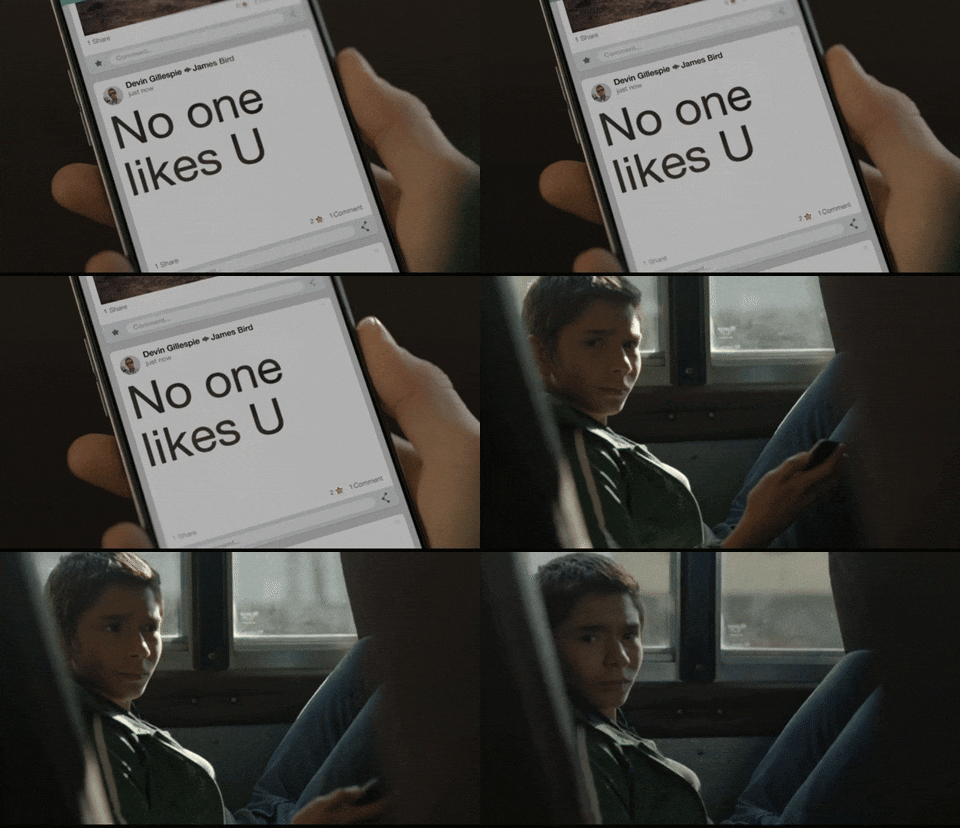
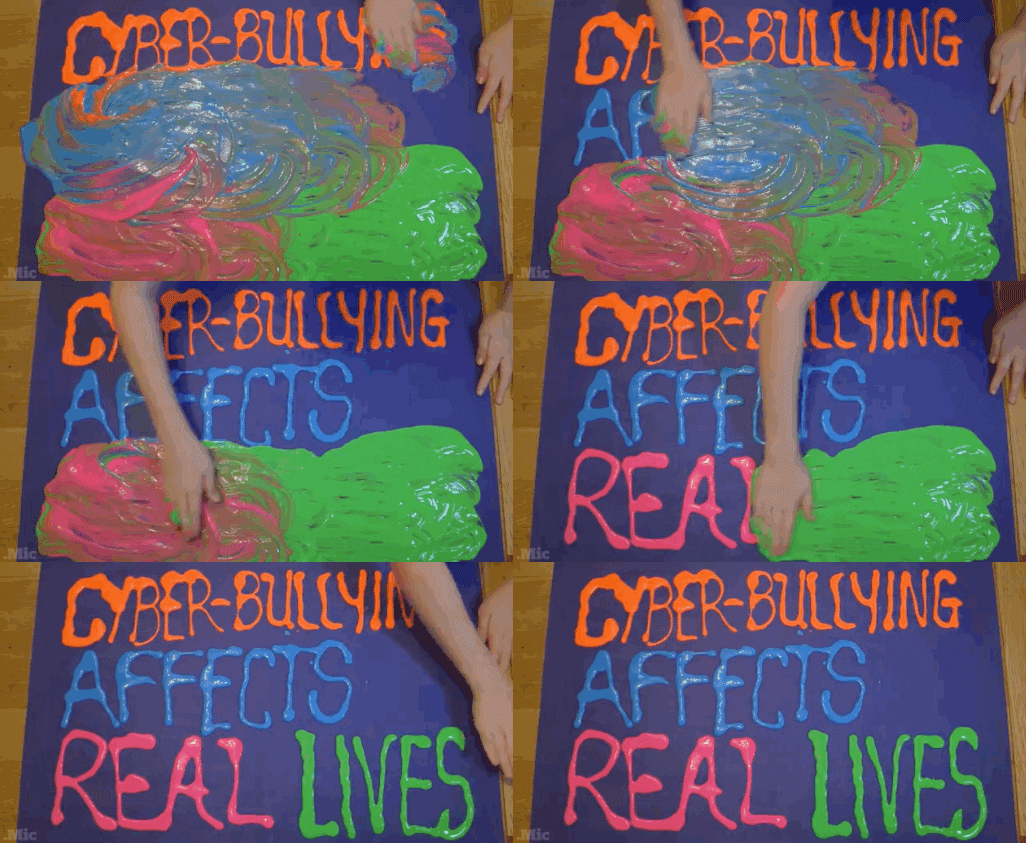
    More awareness and attention is being spotlighted on bullying and its prevention.  Bullying, harassment, and cyberbullying can be distinct concepts but there are commonalities between the three that make similarities relevant.  This week’s readings were perfect for this month and week, as October is National Bully Prevention Awareness Month.  Just this week, October 21st, our staff, and student body stood in solidarity by wearing orange on Unity Day.  This day of observance was to show that those wearing orange believe that no student should ever have to ever experience bullying.  Though I wore orange in solidarity….it will take much more than wearing orange to put an end to the inhumane treatment of those who are bullied and to give those who see others being bullied, the tools and confidence that they need to be able to speak out against this atrocity.     


    What stood out to me was that bullying is not only happening in the k-12 setting but also in higher education and workplaces.  This is an atrocity that this victimizing cycle of bullying can extend into our adult years.  Faucher, Cassidy, and Jackson (2015) state that persons who are victims of bullying rarely speak up about issues for fear of the repercussions that might occur after they speak up and/or after speaking up about the issue nothing will change or their problem will escalate (p.115).  What can be done about this?  Students in a university focus group argue that when bullying happens in the workplace it is almost “too late”.  Antibullying must be addressed and learned in the k-12 grades” (Faucher, Cassidy, & Jackson, 2015, p. 119).   


    What was shocking to me was the statement, “In some jurisdictions, such as the U.S., a behavior can only be considered harassment if it targets a person whose status (e.g., gender, race/ethnicity, religion) is protected under the law”  (Faucher, Cassidy, & Jackson, 2015, p. 112).  This made me curious about the laws, here in South Carolina, that prohibit bullying.  The website www.cyberbullying.com lists that in South Carolina, the course of action on how to handle bullying is left up to the school district to decide and cyberbullying is included.  It appears that some states are more lenient that others when it comes to bullying in schools.  Would harsher consequences make students think twice before they bullied or harassed another person? 


    How would I address bullying with my students?  As the week’s readings suggested, focusing on bully prevention for one day or even a month is not enough.  Students must be taught from an early age that bullying will not be accepted or tolerated in our school’s culture.  I would address bully prevention with my students by:

  • Book/Video Discussions and Journaling - Depending on the grade level, I would seek out literature, videos, and other resources for my students to read.  I would also create guiding questions for students to journal and reflect on as they analyze the material.  


  • Create displays to highlight bully prevention.  This could also be done as a school-wide “Big Read”.  Students could talk with their classmates and think of ideas to prevent bullying and what to do when someone displays the inappropriate behavior.  Students could create posters to about bullying prevention to display around the school.  I would also seek out my school’s guidance counselor for support with addressing the issue of bullying.  

  • Plan engaging lessons to educate students on their responsibility to be respectful and responsible digital citizen.  

  •  Seek tools (and make students aware of those tools) in which bullying can be reported and make students aware of what they can do if they are being bullied or see someone else being bullied.  

Additional Resources:  


References

Cyberbullying Research Center. (n.d.). Bullying laws in South Carolina.        Cyberbullying Research Center. https://cyberbullying.org/bullying-laws/south-carolina/


Faucher, C., Cassidy, W., & Jackson, M. (2015). From the sandbox to the inbox: Comparing the acts, impacts, and solutions of bullying in k-12, higher education, and the workplace. Journal of Education and Training Studies, 3(6), 111-125.


Pacer’s National Bullying Prevention Center. (n.d.). Unity day. Pacer.org. https://www.pacer.org/bullying/nbpm/unity-day.asp

Saturday, October 17, 2020


Blog Post #6: Digital Tools & State Based Resources

Device Agnostic Tools

Image Source: See Image Reference 1

I used to dislike (but loved how cute it was) when this error message occurred when clicking a link to a certain website that was inaccessible.  What happened to this cute little icon anyway?  While searching for tools and applications to use with my students, I often run into the same problem of inaccessibility.  Why?  Some tools might only be accessible for use with a specific devise using iOS or Android/Windows. Web and app creators have kept accessibility in mind by creating tools that are device agnostic.  Morefield-Lang (2014) explains,

“According to PC Magazine (2013), when an online tool or app is not tied to any particular device, it is device agnostic. In other words, the tool is independent of any machine. Rouse (2014) takes this definition further to explain that a device agnostic mobile application will typically work on any handheld device in the same manner that it would on a computer” (p. 8).

Image Source: See Image Reference 3

Several years ago, I attended an AR/VR conference at the SC State Museum.  The conference was packed with tools to use in the classroom/library school setting but I was disappointed to find out that most were not device agnostic.  My school had just purchased Chromebooks for our students, so tools like Wonderscope (https://wonderscope.com/) could only be used with iOS devices and inaccessible to us.  As teacher-librarians it is important to keep in mind how information is accessed to increase equality in access for all patrons.  Many patrons may not have the luxury of access to a personal computer or laptop; however, many patrons may have access to a cell phone.  When device tools can be used efficiently across multiple types of devises it increases equality. 

Image Source: See Image Reference 2

One example of a devise agnostic tool is the website (https://kahoot.com/) Kahoot!  This website is a game-based learning platform that allows the host to turn boring quiz questions into engagement and fun for students.  This website/app is free for the basic subscription, but one can subscribe to a premium membership for a fee.  Teachers can create a game relatively quickly or search through their question bank or pre-created games.  Students can access and play virtually anywhere and on any device.  Teachers can use the Kahoot tool as a formative assessment.  The data derived from Kahoot can advise teachers on what students have mastered or what skills may need to be scaffolded.  

But wait....just simply giving students a device and access to these tools does not mean that we are effectively educating our students.  Luhtala, Ray, and Trettin (2016) reminds us that we must encourage and empower students to make a shift from being simple consumers to more complex creators.  How can I use the same Kahoot website/app to make my students creators?  One way is to have students to display their learning by creating questions (including visuals) pertaining to the unit of study.  This allows students to collaborate, create, and share their learning with others.  I am excited to try Kahoot out in my math class!  If you have any additional ideas about Kahoot in the classroom, please share!  Thanks for reading.  

- Richelle -    

References

Luhtala, M., Ray, M., & Trettin, S. (2016, October 19). Future Ready Librarians [Webinar]. Mackin 

     Educational Resources. https://home.edweb.net/webinar/future-ready-librarians/

Moorefield-Lang, H. (2014, August/September). An exploration and explanation of device agnostic 

     tools. Library Media Connection, 31(1), 8-9.  


Image Sources:  

1.  https://www.bleepingcomputer.com/news/google/-aw-snap-crash-makes-a-comeback-in-chrome-79/

2.  www.kahoot.com 

3.  https://freedomhacker.net/quick-and-easy-fix-for-no-internet-access/.


Saturday, October 10, 2020

 Blog Post #5:  Adaptive Technology Resource 

Immersive Reader - Adaptive Tool

The week’s readings about accessibility resonated with me.  I just finished reading, The Silence Between Us (The Schnieder Family Book Award 2020 Teen Honor Winner) by Alison Gervais, which tells the story (in first person) of Mya who is deaf.  She must transition to a “hearing school” for her senior year and the book details her experiences and interactions with others.  I also have a co-worker at my school who is deaf.  What would it be like to live in a world where I could not see or hear (or had some other disability)? Recently, these aspects have made me want to learn ASL one day.  Additionally, it has also made me reflect on my current practices and as a future school librarian.  What technology features could I use to help my students with disabilities? 

While searching for helpful adaptive tools, I stumbled upon “immersive reader”.  What is it?  It is a tool that helps students by dictating text to speech.  This tool is useful in k-12 education and classroom settings for those who are struggling readers, students with visual impairment, ELL learners, dyslexic students, or  students who prefer their text to be read aloud.  Some educational technology is already embedded with this feature (like Flip Grid, Wonderopolis, and Canvas).  This is my first year implementing the Canvas Learning Management Systems and I did not know that this feature was available and look forward to accessing this tool via Canvas. 

  Microsoft's Immersive Reader:  What is it?  


There are many immersive readers available, but I will highlight Microsoft’s Immersive Reader.  This reader is free. Their website https://www.onenote.com/learningtools, notes some of the benefits and features of using this reader like improved comprehension, easy navigation and use, and this tool supports independent reading.  To access this tool, students can create a Microsoft 365 account and copy and paste the text into an application, like Word.   Next the student can click “view” and “immersive reader” and the text can be read fast or slow, with various voices, color contrasts, fonts, spaces, etc.  The teacher no longer has to read text aloud to students, one by one, which is time consuming.  Students may also become embarrassed to need this extra support.  With immersive reader, students become more independent, while getting the support they need in a discrete manner.  Immersive reader can be used in all disciplines to help students to be successful.  

                                           Microsoft's Immersive Reader:  Benefits?                                                                                                                             

Features

Proven Benefit

Enhanced dictation

Improves authoring text

Focus mode

Sustains attention and improves reading speed

Immersive reading

Improves comprehension and sustains attention

Font spacing and short lines

Improves reading speed by addressing “visual crowding” 

Parts of speech

Supports instruction and improves writing quality

Syllabification

Improves word recognition

Comprehension mode

Improves comprehension by an average of 10%


 [Source: https://www.onenote.com/learningtools] 


More Resources on Immersive Reader?  Check out these sites.

https://www.onenote.com/learningtools

https://ditchthattextbook.com/3-ways-to-support-your-students-with-immersive-reader/

https://www.gettingsmart.com/2019/03/assistive-technology-finding-the-right-resources-for-all-students/

https://youtu.be/nt3hz2vVf8c

References

Microsoft (2000). Immersive Reader Microsoft Learning Tools. OneNote. https://www.onenote.com/learningtools

MicrosoftEDU. (2019, Sept. 24). What is the Immersive Reader [Video]. 
YouTube https://www.youtube.com/watch?v=wHJJCLV-DNg&feature=emb_logo


Saturday, October 3, 2020


Blog Post # 4  

The R. A. T. Pack 


+   = 

The R. A. T.  Model and the Chromebook

Old School v/s New School…

As I reflect on the R. A. T. model, I think back to my first year of teaching in 2004.     I had             accepted a job back in my hometown and was teaching in a brand-new building.  I had a whiteboard (with plenty of colorful expo markers), a television (hoisted on a stand in the corner), and an overhead projector with basic visa-vis pens (I had to be careful about turning off the bulb too quickly as to not damage the bulb).  To access the web, students went to computer labs and used bulky, stationary desktop computers.  Today, computer labs are almost a thing of the past as technology has evolved and the bulky desktops of the past are now sleek, affordable, light weight,  and portable devices that can be used to access and share information quickly and efficiently.     

Chromebooks in the Classroom Craze

What is a Chromebook?  Google’s support explains, “Chromebooks are a new type of computer designed to help you get things done faster and easier. They run Chrome OS, an operating system that has cloud storage, the best of Google built-in, and multiple layers of security”.  Users can also access some applications offline.  Chromebooks offer access to information in the comfort of a students’ home, classroom, or even on the go.  

The R. A. T. Model and Chromebooks in the Classroom

R. A. T. is an assessment model that teachers can utilize to analyze and evaluate how to effectively integrate technology into their teaching, learning, and curriculum practices.  There are 3 components:  replacement, amplification, and transformation. 

1.  Replacement - 

Hughes (2020) defines replacement as, “Technology used to replace and, in no way, changed established instructional practices, student learning process, or content goals”.  An example of this  component would be a teacher taking a worksheet and sharing a PDF onto his/her student’s chrome book.  No instructional practices were changed, just the method of delivery. 

2. Amplification -

Hughes (2020) explains amplification as, “technology increases efficiency, effectiveness, and productivity of instructional practices, student learning processes, or content goals”.  When a teacher takes a worksheet and places it on an application like Google Slides, students can use the application and work on the problems individually or collaborate, in real time, with a group.  Additionally, teachers can view students' work comment and/or give feedback immediately.  

3.  Transformation -

The last component of Hughes model is transformation.  It is described as, “technology reinvents aspects of instruction, learning, or curriculum in new and original ways” (Hughes, 2020).  Instead of giving students a PDF copy of a worksheet, students can use their Chromebook to access applications in which they can collaborate with each other and connect and apply their learning with real-world applications.  An example might be instead of a math teacher giving students problems for decimal operations, students create their own “dream vacation” presentation (in which they find the total cost, decimal operations) using their chrome books.  The presentation can be worked on individually and/or simultaneously in groups with 1:1 chrome book access.  Another idea might be to have students explore the concept of area with their chrome books using a website like https://phet.colorado.edu/en/simulation/area-model-multiplication or even having students design their own space virtually by applying the concept of area with https://cospaces.io/edu/. Curious about ways you can use chrome books in your classroom?  Check out these links below. 


References

Evans, B. & Gierke, T. (n.d.). Google in education:  30 ways to use chrome books in schools. Retrieved from https://www.oakparkusd.org/cms/lib/CA01000794/Centricity/Domain/951/Ways%20to%20use%20Chromebooks%20in%20the%20Classroom.pdf

Fink, J. L. W. (n.d.). Chromebooks in the classroom.  Retrieved from https://www.scholastic.com/teachers/articles/teaching-content/chromebooks-classroom/

Hughes, J. E. (2020). Replacement, amplification, and transformation: The R.A.T. Model. Tech Edges. https://techedges.org/r-a-t-model/


Sunday, September 20, 2020

Post 3a: Additional thoughts about this week's readings....


Even though I also consider myself to be tech-savvy, (like the students) just because I have a social media accounts and the latest gadgets does not mean that I can affectively apply those technologies to better equip my students educationally.  Smith (2010) states that though some teachers do consider themselves to be “digital natives” and are confident in their subject matter pedagogy and content there is still a disconnect when applying technology in the classroom setting (p. 619). 


This year, our school has made a shift from using Google classroom (for organizing and streaming information to students) to Canvas.  My initial navigation and learning of Google classroom were a bit of a struggle but after a while I taught myself (along with the help of YouTube University).  This year, our district has decided to use Canvas as a learning management system.  I am feeling uncomfortable with it, even now.  I have taken about 5 hours of coursework, but I am still a novice user.  It is hard to balance learning both the new management system and remote teaching.  Professional development for Canvas would have been easier over the summer and would have allowed me to familiarize myself with its inner workings a bit more.  “Additional professional development should be paced throughout the school year, so teachers have time to digest what they learn and try out new skills in the classroom. We found that teachers in schools that tried to cram too many different topics into a short time span were frustrated and overwhelmed” (Overbay, Mollette, & Vasu, 2011, p. 58). 


 Slowly but surely, I will learn to be more proficient with Canvas.  Smith (2012) notes that sometimes teachers are responsible for teaching students online; however, the teacher may not be proficient or have a full understanding of how to use the technology (p. 619).  With learning any new technology, continuous professional development (not just an initial workshop) and practical ways in which I can apply the technology immediately into my teach is always beneficial.  “Ongoing professional development is necessary to help teachers learn how to use new technologies, but this must go beyond just using technology, expanding to learning the instructional strategies needed to integrate technology into their teaching, including practical applications” (Smith, 2012, p. 20).   


“Distributed-leadership theory has emerged as a possible solution, in that it promotes a situation where multiple people work together, pooling their abilities and expertise” (Smith, 2012, p. 6).  No librarian should be alone.  To be successful it takes everyone to make an effort and to pool our abilities, collectively, to make a difference in the lives of our students and the community.   


References

Johnston, M. P. (2012). Connecting teacher librarians for technology integration leadership. School Libraries Worldwide, 18(1), 18-33.

Johnson, M. P. (2012).  School librarians as technology integration leaders: Enablers and barriers to leadership enactment. School Library Research, 1-33. 

Overbay, A, Mollette, M & Vasu, E.S. (2011).  A technology plan: Administrators should keep five lessons in mind as they implement new technology initiatives. Educational Leadership, 56-59. 

Smith, D. (2010). Making the case for the leadership role of school librarians in technology

integration. Library Hi Tech, 28(4), 617-631. 

Post #3 - Technology (Flipgrid) and the Teacher-Librarian


Greetings Marvelous Mathematician Masters,   

I hope that this correspondence finds you well and that you are excited to begin a new week!  These first two weeks have been an adjustment as we all strive to provide our students with a world-class, quality education either remotely or in-person.  Are you in search of ways to efficiently integrate technology into your standards-based teaching without devoting hours of time listening to professional development session without being given practical suggestions on how to use it in your own classroom?  Many times, I find it difficult to find technology tools that cater to the needs of the mathematically minded (that are also engaging to students) but have no fear…. because Flipgrid is here! 

What is Flipgrid and how do I implement it in my math classroom, now?  Flipgrid is a free website that allows a teacher/user to facilitate discussions with his/her students.  Teachers can post a topic or question and students can respond with their own unique videos.  Worried about student safety?  Flipgrid generates a “join code and/or link” in which the teacher shares with students only.  Also, teachers control how students join and Flipgrid guarantees that your videos are safe and will never be distributed to 3rd party sellers.   

How can you use this tool tomorrow, in your math class? Mr. Fahey’s Tech suggests 13 ways to enhance math lessons with Flip Grid!  My favorites are using Flipgird to share real-world math experiences, number talks, and find the mistake.  Check out this blog of creative and interactive ways to engage your mathematics scholars with Flipgrid at https://faheystech.blogspot.com/2017/06/flipgridmath.html.  Johnson (2012) states, “Technology is transforming not only access to information but also the skills needed to interact and utilize it as well” (p. 20).  You can also use Fripgrid with students in other classrooms (in your school, another school/district, or even abroad), to connect your students’ mathematical journey with other student scholars.  Additionally, we could host a "math bowl" using Flipgrid.  “It has become critical for the teacher librarian to partner with teachers to address the needs of the 21st century learner to equip them with the necessary skills needed in order to thrive and participate in a digital culture” (Johnson, 2016, p. 20).  

As always, I am always here to help and support you in anyway.  Please feel free to drop by the library at any time or contact me via email.  Thanks for all you do, and I look forward to seeing all of the amazing connections our scholar mathematicians make in their learning journey. 

Sincerely, 

Richelle Sexton 


References 

Fahey, S. J. (2017, June 11). 13 ways to enhance math lessons with Flipgrid. Mr.Fahey's

Tech. https://faheystech.blogspot.com/2017/06/flipgridmath.html

Johnston, M. P. (2012). Connecting teacher librarians for technology integration 

                        leadership. School Libraries Worldwide, 18(1), 18-33.


Saturday, September 12, 2020

Post #2: Technology, Fake News, and Mindfulness....


Blog Post #2:  Technology, Fake News, and Mindfulness

I just finished my first week of teaching remotely, as a classroom teacher.  It was quite a challenge for me, as well as for the other teachers, students, and their parents.  Many times, we assume that just because our students were “born with a tablet in hand” that they are “technologically savvy”. Correlation does not imply causation.  Being born with access to technology and the ability to use it for entertainment (websites, games, etc.) does not necessary mean that students have the technological skills to be able to use their devices for educational purposes, effectively.  In order for technology to be useful to students, he/she must put in the work and successfully intertwine effective communication, critical thinking, and knowledge of the subject area.  In short, students cannot be given a computer and expect learning to magically occur.  It takes a well-rounded student and even still the student may need guidance and collaboration with peers and the teacher/facilitator, to be successful.    

After reading over the P21 Framework, I am indecisive about my feelings about the skills, knowledge, and expertise that we are deeming all students have to be successful.  These are definitely attributes and skills that I would love for my child to possess: being a critical thinker/problem solver, being able to communicate effectively, having a strong academic background, having an understanding of global and national events and an educated opinion about them, being able to use technology efficiently, and being a great leader.  This list goes on.  I imagine a little kid, dressed in a business suit (like Kid President).   

Source:  (WBUR.org)

    All of these attributes are wonderful to posses but what if a student does not?  Everyone will not be an effective communicator or work well with others. As teacher-librarians, we can do our best to help our students to grow into the best version of themselves that they can be.  I understand that we must have high expectations for our students but what if those expectations do not fit? There is no one mold that works for all students.  If somehow, we could merge these high expectations with helping our students to find their unique talents and gifts, we have a win-win situation. 

The Liturgist Podcast: Fake News & Media Literacy (2017) was packed with so much thought-provoking information (I will share this podcast with family and friends).  I still cannot get their hilarious “rap” out of my head!  In all, the podcast affirms that you must pay attention and closely analyze all information and not take the information at face-value because of feelings or emotions.  This makes me think back to reports where the SC DHEC has stated that the spread of the Corona virus was decreasing in South Carolina.  Someone brought it to my attention that of course the numbers would appear to decrease without testing occurring frequently.  We looked to see if any testing had been done that week and we could not find testing sites in the area.  Growing up, I was taught that what the teacher said was believed to be factual information.  No one know everything and even teachers make mistakes.  It is imperative that we also teach our students to critically evaluate the information that they choose to partake, especially in this instant digital age. 

There were so many interesting points in this podcast, but what stuck with me were a few points by Clay Johnson.  Mr. Johnson (2017) stated the importance of being abreast of what your local politicians and elected officials are doing and suggests that his listeners be more active and involved.  These officials will make decisions that directly impact you and your community.  He ends by stating that no matter your political affiliation, we have a responsibility to serve and help our neighbors.  We must give our students (and the community) the tools needed to be effective users of technology.  It has motivated me, as a future librarian, to be more cognizant and pro-active in the “on-goings” of my community.  I want to fill my "librarian diet" with less junk (that may be pushed through social media) and do more fact checking and reading of more credible works. 


Shared Foundation V: Explore